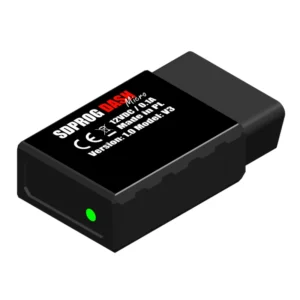
Adaptez la solution à votre véhicule


SDPROG software (OEM)
99,00 zł
Logiciel de diagnostic SDPROG en version électronique. Disponible pour Android et iOS à télécharger sur :
– Google Play
– AppStore
– AppGallery
Important : pour utiliser le programme de diagnostic SDPROG, vous devez vous connecter à votre compte MySDProg. Pour créer un compte MySDProg, veuillez fournir le code d’activation reçu après l’achat du produit (cliquez ici pour créer un compte).
Le programme diagnostique toutes les marques et tous les modèles de voitures fabriquées conformément au système OBDII. L’application prend en charge les voitures à essence, diesel et hybrides électriques. Introduction de la norme OBDII dans le monde :
États-Unis et Asie :
– depuis 1996
Europe :
– depuis 2000 pour les moteurs à essence
– depuis 2004 pour les moteurs diesel
Après l’achat, le code d’activation sera envoyé par e-mail à l’adresse e-mail spécifiée dans la commande.
Description
SDPROG – Benefits & Advantages of the Diagnostic Software

Top benefits of the SDPROG diagnostic software:
- Diagnosis in minutes – fast fault reading & clearing via OBD-II, no costly workshop visits.
- Monitoring of key parameters – control of oil temperature, fuel level and DPF filter status.
- Broad compatibility – supports 48 car brands, 21 motorbike brands and 8 quad brands in both OBD-II and service modes.
- Polish technology & support – lifetime licence, free updates and professional tech help in many languages.
SDPROG is the ideal solution for those who want to:
- Quickly diagnose their vehicle without a workshop visit
- Have full control over the engine and avoid costly breakdowns
- Monitor vehicle parameters, e.g., DPF filter condition
3 Steps to Diagnostics with SDPROG
1. Connect the interface
Plug the interface into the OBD socket
Find the diagnostic connector in your vehicle and insert the diagnostic interface into it
2. Launch SDPROG
Turn on the SDPROG mobile app
Open SDPROG and connect it to the diagnostic interface
3. Start diagnostics
Start diagnosing your vehicle
Read and clear fault codes, monitor engine parameters
Check Vehicle Compatibility with SDPROG
Use the smart filter below to select the brand, model, year and engine of your vehicle. This ensures that the SDPROG diagnostic software will be fully compatible with your OBD-II vehicle.
Can’t find your vehicle listed? Contact us — we’ll check whether we can support it.
Loading vehicle database, please wait…
| Id | Name |
|---|---|
| Id | Name |
| Id | Car Maker | Model | Year Min | Year Max | Engines |
|---|---|---|---|---|---|
| Id | Car Maker | Model | Year Min | Year Max | Engines |
SDPROG Diagnostic Software Features

SDPROG offers a wide range of features to facilitate full vehicle diagnostics — from reading and clearing fault codes to engine performance monitoring and advanced tests— all in one program.
- Reading stored, pending and permanent fault codes
- Clearing faults and MIL warning lights
- Detailed technical guidance
- Temperature, pressure, fuel level
- Condition of DPF / GPF / FAP filters
- Gauges & charts in the app
- Battery test (rest, start, load)
- Diagnostic monitors – exhaust emissions & system efficiency
- G-force measurement and Race mode
Diagnostic Modes in SDPROG

SDPROG offers a broad range of diagnostic capabilities—from basic OBD-II mode to advanced Service mode. Using both enables full diagnostics of your vehicle.
Basic diagnostics – OBD-II mode:
- Read and clear engine fault codes (Check Engine)
- Information useful for vehicle purchase: distance and time since the MIL light appeared
- Engine temperature, air temperature, system voltage, turbo boost pressure, lambda sensor
- Battery condition and regulator (idle, start, charging under load)
- Diagnostic monitors – simple vehicle and emission condition check
Advanced diagnostics – Service mode:
- Read and clear fault codes in modules – ABS, airbags, comfort systems, AC and others
- Service parameters – e.g., status of DPF / GPF / PEF / FAP filters in petrol and diesel engines
- Full analysis of system operation – access to key technical data and vehicle modules
Frequently Asked Questions (FAQ) – SDPROG
How many car brands does SDPROG support?
How many motorbike brands does SDPROG support?
How many quad brands does SDPROG support?
Can SDPROG check DPF / FAP / GPF filter parameters?
Can one licence cover multiple vehicles?
What’s the difference between OBD-II mode and Service mode?
How to set up an account using the purchased licence key?
Will the program work on Windows?
The set contains

- SDPROG software for Android and iOS mobile devices
- Instructions
- Access to updates
- Activation code providing free updates and technical support
Looking for a complete package with software + diagnostic interface?
Purchase the program bundled with the SDPROG OBD diagnostic interface—recommended for most vehicle brands, designed for comprehensive diagnostics. Choose a ready to go kit that supports your vehicle fully.